 roject Settings->Quality) is split into two main areas. At the top, there is the following matrix:-nity可以设置渲染图像的质量级别。一般来说,图形质量会导致帧速率降低,因此最好不要在移动设备或旧的硬件上使用最高图形质量,这会对游戏产生不好影响。图形质量设置面板有2个主要区域(菜单Edit->roject Settings->Quality)。在面板上方,有下列矩阵:
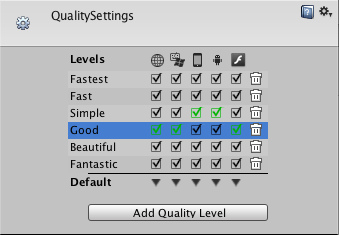 Unity lets you assign a name to a given combination of quality options for easy reference. The rows of the matrix let you choose which of the different platforms each quality level will apply to. The Default row at the bottom of the matrix is not a quality level in itself but rather sets the default quality level used for each platform (a green checkbox in a column denotes the level currently chosen for that platform). Unity comes with six quality levels pre-enabled but you can add your own levels using the button below the matrix. You can use the trashcan icon (the rightmost column) to delete an unwanted quality level.你可以在unity中为特定的质量选项组合设置一个名称。矩阵的行,可以设置不同的平台使用的质量级别。在矩阵底部,名为default的行是平台的默认质量级别(绿色复选框表示该平台目前所选择的级别)。Unity有6个预设的质量级别,你可以使用矩阵下方的按钮添加自定义的级别。可以通过垃圾桶图标(最右边的列)删除不必要的质量级别。You can click on the name of a quality level to select it for editing, which is done in the panel below the settings matrix:-点击质量级别的名称,选择编辑,在矩阵下方有如下设置面板:
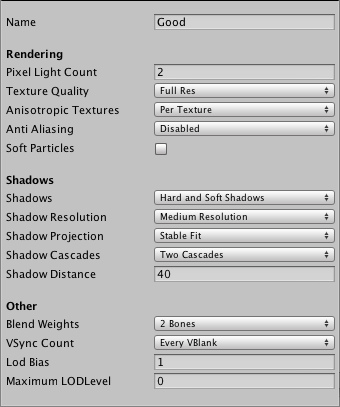 The quality options you can choose for a quality level are as follows:-质量级别可以设置的选项如下: Name 名称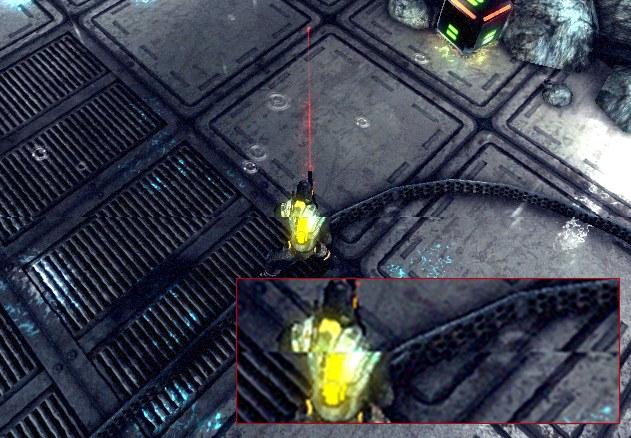
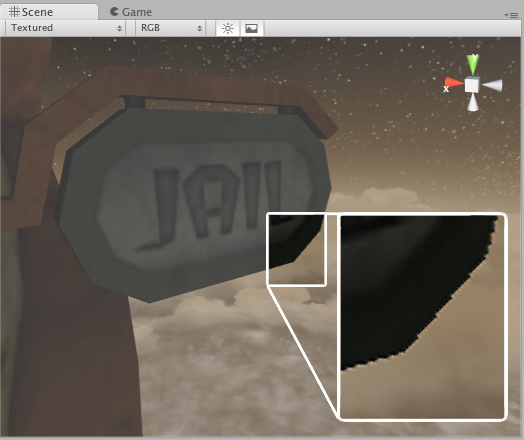
 学习了
学习了 
| 欢迎光临 纳金网 (http://go.narkii.com/club/) | Powered by Discuz! X2.5 |